
Boost Your WordPress Productivity with the Woo & Post Word Count Plugin
As a WordPress site owner or content creator, keeping track of word counts in your posts and products is crucial. Whether it’s for SEO, readability, or simply content planning, knowing exactly how long your articles and WooCommerce product descriptions are can save you a lot of time and effort.
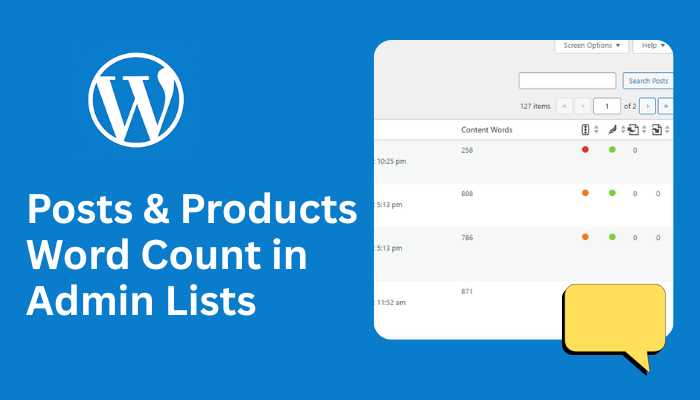
Today, I’m excited to introduce the Woo & Post Word Count Plugin – a simple but powerful tool that adds word count columns to your WordPress admin dashboard for both blog posts and WooCommerce products, supporting English and Bengali content.
Why Word Count Matters
Word count is more than just numbers. Here’s why it matters:
- SEO Optimization – Search engines favor comprehensive content. Knowing the word count helps you stay within ideal ranges for ranking.
- Content Planning – Maintain consistency across your blog posts and product descriptions.
- Readability – Helps ensure content is neither too short nor too overwhelming.
- Bilingual Support – Supports languages like Bengali where traditional word count functions fail.
Features of the Woo & Post Word Count Plugin
This plugin is lightweight, easy to use, and packed with useful features:
- WooCommerce Product Support – Displays word counts for both Long Description and Short Description.
- Blog Post Support – Displays word counts for Post Content and Excerpt.
- UTF-8 Compatible – Works perfectly for Bengali and other non-Latin scripts, as well as English.
- Zero Configuration – Activate the plugin, and it starts working immediately.
- Accurate Counting – Unlike default WordPress functions, it counts words reliably in multilingual content.
How It Works
Once you install and activate the plugin:
- Navigate to your Products or Posts list in the WordPress admin.
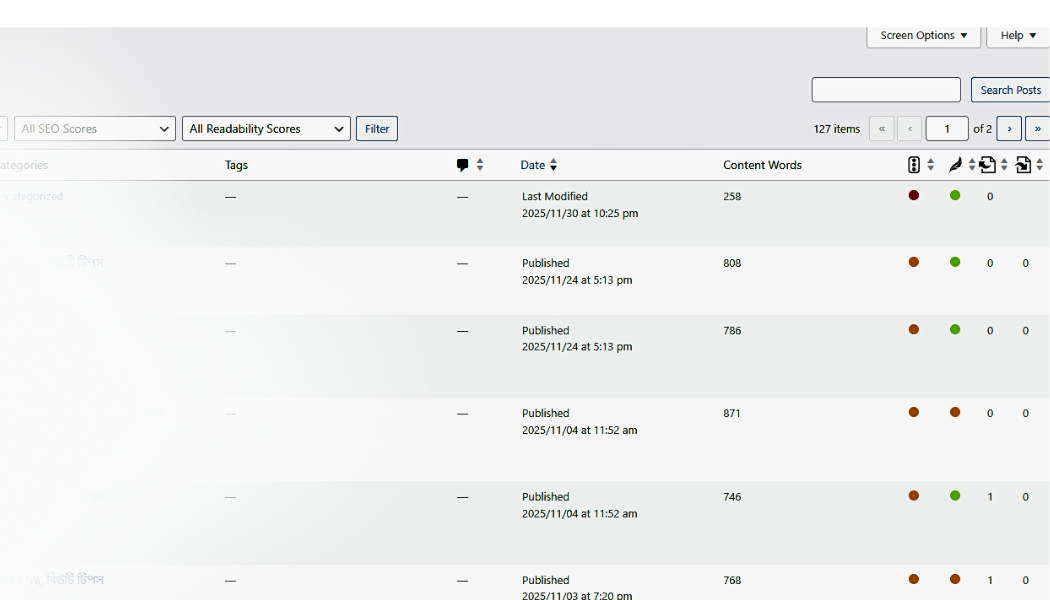
- You’ll see two new columns:
- Long Desc / Content Words
- Short Desc / Excerpt Words
- The plugin automatically counts the words in each description or post, even if the content is in Bengali.
For blog posts, if the Excerpt field is empty, the plugin automatically calculates the word count from the first 55 words of the post content.
Installation Guide
Installing the plugin is straightforward:
- Download or create the plugin folder
woo-post-wordcount. - Upload it to
wp-content/plugins/. - Go to WordPress Dashboard → Plugins → Activate.
- Navigate to Products or Posts to see the new word count columns in action.
No complicated setup is required – the plugin works right out of the box.
Why You Should Use This Plugin
Whether you run a WooCommerce store, a blog, or a multilingual WordPress site, this plugin provides:
- Time-saving insights: Instantly see word counts for all products and posts.
- Content consistency: Maintain a uniform word count for better user experience.
- SEO benefits: Ensure your posts and descriptions meet ideal word counts.
- Multilingual support: Works flawlessly with Bengali, Hindi, and other UTF-8 content.
Final Thoughts
The Woo & Post Word Count Plugin is a simple yet essential tool for WordPress users who want to manage their content efficiently. It eliminates guesswork, improves workflow, and ensures your content meets your standards – whether you’re working in English, Bengali, or both.
If you’re serious about content quality and SEO, this plugin is a must-have.
Call to Action
Try it today! Install Woo & Post Word Count, and take control of your WordPress content like never before. Share your experience with your followers and let them benefit from precise content management too.